Record, edit
& find your community
Practical guides from capturing and editing gameplay to finding friends, parties, and communities.
Page 9 of 12
 Guide
GuideAll of Today's Best Plays in One Place: The DOR Daily Recap
When your gaming session wraps up, DOR gathers the highlight moments it automatically detected that day and shows them to you as a summarized recap. No need to hunt them down one by one. See all of today's highlights at a glance.
 Guide
GuideDOR Clip Export: mp4 vs GIF Formats and Options at a Glance
When exporting a game clip you edited in DOR as an mp4 video or a GIF, here is a use-case guide to which format and which quality and file-size options to choose.
 Guide
GuideThe Match Stats Right Beside Your Clip: Viewing Highlights and Match Data Side by Side with DOR
When you watch a highlight clip on its own, it's easy to miss why that moment happened. When you view a clip in DOR, it shows the KDA, scoreboard, and stats from that same match side by side, helping you review the moment and the data on a single screen.
 Guide
GuideDOR One-Click Share: Post Your Edited Clips Straight to the dor.gg Community
Share your finished game clips to the dor.gg community with a single button. Here is how DOR's one-click share works, from copying a link to sharing on Discord.
 Guide
GuideDOR Automatic POTG: The Single Best Moment of Each Game, Saved for You
When a game ends, DOR automatically picks the single most impactful moment from your play and saves it separately. Here's the automatic POTG feature that works not just in Overwatch, but in every game.
 Guide
GuideRewatch What You Said Mid-Game: Mic and Discord Voice-to-Text (2026)
When you play with team voice, you often cannot remember what calls you made or whether your shotcalls actually got through. DOR records your mic and Discord voice together during the game and converts them to text, so you can reread exactly what you said and review it. This article covers why speech-to-text (STT) is useful for skill feedback, and how to put it to work with DOR.
 Guide
GuideHow to Show Keyboard and Mouse Inputs on Gameplay Videos: Keystroke Overlays (2026)
A keystroke overlay is essential for combo tutorials, sharing your mechanics, and reviewing your own play. Normally you have to install a separate plugin for OBS, but DOR automatically layers your keyboard and mouse inputs onto your recordings and clips. Here is everything from the basics to real-world setup, all in one place.
 Guide
GuideWhat Is Automatic Game Clipping? How Kills, Aces, and Pentakills Never Slip By (2026)
Auto-clipping detects in-game events like kills, aces, and pentakills and saves just those moments on its own. There is no need to turn recording on ahead of time, and no need to hit a save button after a highlight happens. We compare three approaches, manual recording, replay buffer, and event-detection auto clips, and unpack with per-game examples how DOR picks out only the highlights via event detection.
 Comparison
Free Bandicam Alternative: Record Games With No Watermark or Payment (2026)
The free version of Bandicam burns a watermark into your video and limits each recording to about 10 minutes, and to remove that you have to buy a paid license. We acknowledge Bandicam's strengths, but if you want to record games completely free, watermark-free, and with no time limit, and even collect your best moments automatically, we honestly compare DOR as an alternative.
 Guide
GuideHow to Make Game GIFs Straight From Your Clips (2026)
A game GIF is made by converting a short clip into an animated GIF. From grabbing the highlight clip to trimming the section and optimizing frame rate and file size, here is how to make GIFs you can drop straight into a community post or Discord chat.
 Guide
GuideGame Recording and Clip Glossary: Confusing Terms for Beginners, All at Once (2026)
From FPS, bitrate, and NVENC to POTG, clutch, and pentakill, here are the terms you run into when you first record and clip games, sorted into three groups (quality, features, highlights) alongside their core definitions. See in one place why each term matters in a recording and clip context and how it is actually used.
 Guide
GuideHow to Save Killcams and Deathcams: Valorant, CS2, PUBG (2026)
We first sort out exactly what killcams and deathcams are as terms, then walk through, game by game, how to save the moment you took down an enemy (killcam) and the moment an enemy took you down (deathcam) as clips in Valorant, CS2, and PUBG. We also cover how to capture those split-second scenes as mp4 without missing them.
 Comparison
Medal.tv Alternative: An Automatic Game Clip Tool Built for You (2026)
Medal.tv is a solid auto-clip tool, but the free plan's downscaled sharing quality, length limits, and overseas-centric community can be a sticking point. If you want a low-overhead NVENC recorder, automatic game detection, and a dor.gg community all in one, here is an honest look at why DOR is a real alternative.
 Comparison
Free Game Recording Software With No Watermark (2026)
Many free recorders stamp their own logo on your saved video and even cap the recording time. Pick a program with no watermark from the start, and there is nothing to erase later. We honestly compare whether the major recorders leave watermarks and lay out the criteria for choosing a free, watermark-free program.
 Comparison
OBS Alternative: Automatic Recording With No Complicated Setup (2026)
OBS is powerful, but you have to configure scenes, sources, and encoders yourself, which is complicated for beginners. We honestly compare the reasons people look for an OBS alternative and explain who DOR is right for, since it just needs to be installed to auto-detect your game and even create clips.
 Guide
GuideWhen OBS Is Too Complicated, How to Switch to Automatic Recording (2026)
OBS is powerful, but you have to set up scenes, sources, and encoders all yourself, which makes the barrier high for beginners. For that moment when you just want recording to happen on its own, here is the decision to end your struggle with OBS and how to switch to DOR.
 Comparison
oCam and GomCam Alternative: Game-Focused Automatic Recording Software (2026)
oCam and GomCam are among the most popular general-purpose screen recorders in Korea, but if you mainly record games, they are weak on game-focused features like auto-clipping, game detection, and low-overhead encoding. We acknowledge oCam and GomCam's strengths while honestly comparing why DOR is the alternative when game recording is the goal.
 Guide
GuideHow to Record Gameplay for Free, With No Time Limit or Watermark (2026)
Not every "free" game recorder means the same thing by free. Many cut off recording after a few minutes or stamp a watermark right in the middle of your video. This article covers only how to record gameplay truly, completely free, with no time limit and no watermark.
 Comparison
NVIDIA ShadowPlay Alternative, Auto-Clip Supported Games on AMD (2026)
ShadowPlay (now the NVIDIA App) has great low-overhead recording and instant replay, but it is NVIDIA-GPU only. If you moved to AMD or Intel, or want automatic clips, editing, and sharing too, we honestly compare which alternative fits, with DOR.
 Guide
GuideHow to Add Music and Sound Effects to Game Videos: From Copyright-Safe Tracks to Beat Syncing and Volume Balance (2026)
Here's the full process for adding music and sound effects to game highlight videos, step by step. We cover where to find free, copyright-worry-free tracks, how to insert audio into your video and sync cuts to the beat, how to balance game audio against the music, and how to lay music onto clips and export right in the DOR editor.
GuideHow to Add Slow Motion to Game Videos: Emphasize the Kill Moment with Speed Ramping
Stretching just the kill moment into slow motion while speeding through the parts before and after makes the same scene far more intense. Here is a step-by-step breakdown, from selecting the clip range to adjusting speed and dialing in the recording settings for smooth slow motion.
 Guide
GuideRadeon AMD Game Recording Settings: How to Record Low-Load With the AMF Encoder (2026)
To record games stutter-free on a Radeon graphics card, you need to use AMD's hardware encoder, AMF, properly. We cover the steps to set up the AMF encoder in Adrenalin and OBS, codec and bitrate choices, the points where AMD cards often get stuck, and how to record more simply with DOR.
 Guide
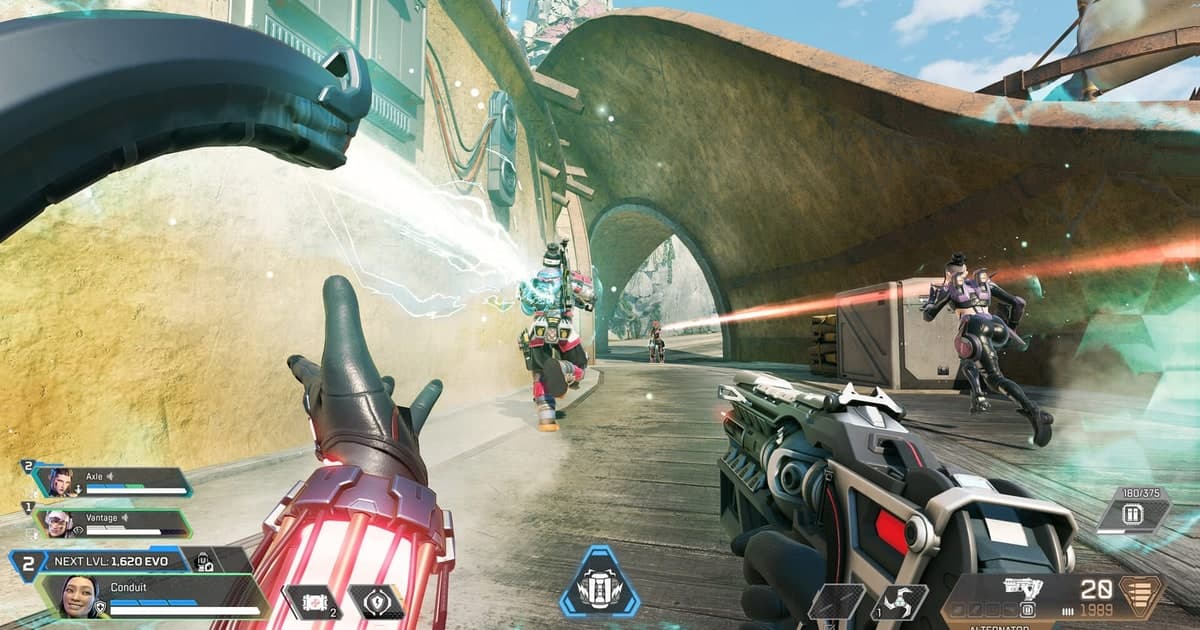
GuideHow to Boost FPS in Apex: A Complete Rundown of Video Settings and Launch Options
Lower your video settings and add just a few launch option lines, and your Apex frame rate climbs noticeably. We laid it out with recommended values so you can follow along exactly.
 Guide
GuideRemap Your Recording Hotkeys: The Complete Guide to Reassigning Clip Save and Manual Record Keys
Switching your recording hotkeys to keys that do not clash with your game controls means you never miss a clip. Here is a step-by-step walkthrough for remapping your clip save key and manual record key.