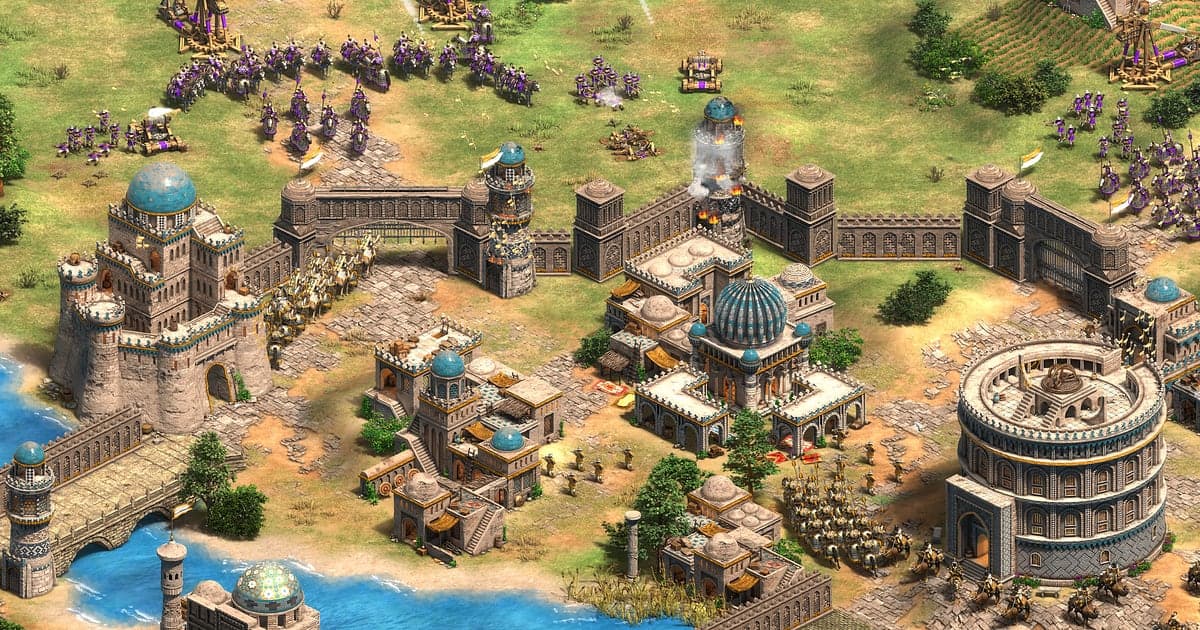
Age of Empires II: Definitive Edition records automatically once DOR is installed: launch the game and the AI takes care of it. You never press a record button or choose a window. Start AoE2 and DOR captures everything from the Dark Age start with three villagers and a scout to the resign message. The game where you held off a scout rush, clicked up to a fast Castle Age and brought a castle down with trebuchets, and the moment a monk's wololo converted a knight, all end up on video from start to finish. The game's own recorded game files only play inside the game, while a DOR recording is a video you can trim and send as a link right away. This guide is for anyone recording AoE2 for the first time. It covers getting ready, confirming the recording, saving fights, finding moments by age, building a match highlight, sharing with your team, and settings for long games.
- Keep an evening of ladder 1v1s and hour long team games in one video.
- Save a fight where pikemen perfectly countered enemy knights, or the moment trebuchets toppled a castle, as its own clip.
- Use AI Voice Notes to find when your pocket said 'going Castle Age, cover me' and jump straight to it.
- Join everything from a scout rush defense to a successful Wonder defense into a match highlight with no caster needed.
- Send your game to a friend asking about your build order with a dor.gg link on Discord.
Before you record Age of Empires II: install and recording mode
All you need to record AoE2 is DOR. It is a free Windows app and never adds a watermark to your videos. AoE2 DE uses full session recording, so whether a game lasts 20 minutes or runs well past an hour, and however many ranked or team games you chain together, it all goes into one recording. There is no recording time limit, so long games keep recording; if you plan to play team games all evening, read recording long gameplay without stutter first. The game is light on hardware, so recording runs smoothly even at minimum spec. The table below lists what is worth knowing for AoE2.
| Item | For Age of Empires II | Notes |
|---|---|---|
| Install | DOR, free Windows app | No watermark on your recordings |
| Game version | Definitive Edition for Windows PC on Steam | DOR detects and records AoE2 DE running on your PC |
| Recording mode | Full session recording | Games are not split into separate files; they run on in one video |
| Versus recorded game files | A DOR recording is an mp4 video | Trim and share it as a link right away, with your mic audio included |
| Display mode | Fullscreen, windowed and borderless all record | Keep the mode you already use in the game's settings |
| Resolution and frame rate | 1080p at 30fps by default | Keep 1080p so the minimap and resource bar stay sharp; a lighter 720p/30fps mode is also available |
Record Age of Empires II with DOR: step by step
- 1Install DORDownload DOR, install it and leave it running. If you trade calls with allies on voice in team games, confirm DOR has your headset mic selected. Game audio and your mic are recorded together.
- 2Launch AoE2 and enter a lobbyStart Age of Empires II: Definitive Edition from Steam and DOR detects the game and starts recording right away. The lobby where you pick a civilization is captured too, so whether you queue ladder or play the campaign, there is nothing else to do.
- 3Check the recording before your first gameBefore a game loads, open the DOR app once and confirm it is recording. If the game is not detected, follow what to do when the recorder does not detect your game. Then send your first villagers to the woodline.
- 4Save a clip right after you win a fightWhen your pikemen cleanly counter the enemy knights, or two trebuchets bring the enemy castle down, press the clip save shortcut as soon as the fight ends. The last stretch is saved as its own clip, so you never have to scroll an hour long recording from the start.
- 5Quit and open My ClipsCheck the statistics screen after your last game and close it. The session video and every clip you saved appear together in My Clips in the DOR app. Fights you forgot to clip are all in the session video too.
Find your recordings
Find your recordings in My Clips in the DOR app, also called the library. Each time you open and close AoE2 is grouped into one session, and moments saved with the clip save shortcut appear as separate clips. Since several games go into one recording, jot down the result and rough time whenever a game ends and the statistics screen appears. Jump to the statistics screen of the game you won, rewind, and you are in that game's late stage. Within a game, the age display at the top changes and a notification appears with every age up, so splitting at those points puts Feudal rushes near the start, Castle Age fights in the middle and Imperial Age battles near the end. Trim fights from the few seconds when your army gathers to advance until the enemy army scatters, around 40 to 60 seconds, so the flow is clear. The minimap and resource display sit at the screen edges, so 16:9 is the default export, though 9:16 and 1:1 are also available. The full walkthrough is in how to trim game clips. Like the comebacks you want to keep. When space fills up, older videos you have not liked are cleared first.
Save the moments you want to keep
Even with the whole game recorded, the fights that decided it are much easier to find if you clip them on the spot. Press the clip save shortcut and the last stretch is saved as a clip. The default length is 30 seconds, and you can choose 15, 30, 45 or 60 seconds in settings. Early Dark Age scouting and villager harassment need only 30 seconds, while a Feudal archer rush defense or pikemen countering knights fit 45 seconds. A trebuchet siege on a castle, the final Imperial Age battle at full population, or a fight to defend or destroy a Wonder should be set to 60 seconds so the army gathering is included. Right after a monk's wololo converts a knight and turns the fight, and right after a campaign mission shows victory, are also good moments to press it. Length settings are covered in saving the last few seconds instantly.
Find what was said with AI Voice Notes
In AoE2 team games, calls with your allies decide the outcome. Lines like 'found four sheep by my base', 'two trebuchets, let's push' and 'watch the monks, they'll convert our knights' run through the whole game. DOR records game audio and your microphone together, and AI Voice Notes writes the calls with your allies onto the recording timeline as text. After the game, find the minute your pocket said they were going for a knight rush, or when your flank asked for help, and select the line to jump straight there. When you review a loss, checking the gap between a call and the actual army movement helps you plan the next game. If your team plays on a Discord call, see recording Discord call audio.
Build a montage with AI Highlight
A ladder game can be squeezed into a cast of a few minutes. From the clips you saved at each age, check the scout rush defense, the fast Castle Age click, pikemen countering knights, a monk conversion comeback, trebuchets taking a castle and a successful Wonder defense, then select AI Highlight. DOR turns the game into one compressed video. From the early rush defense to the final castle falling, you get a highlight that needs no caster, and collecting games with one civilization gives you a civ showcase. If you want to set the order yourself, see how to merge game clips.
Edit in DOR Studio
DOR Studio opens in your browser with nothing to install. Cut out the stretches spent making villagers, join only the fights, and add a shake zoom where a castle crumbles under trebuchet fire. A punch zoom suits the frame where a monk converts a knight, and a glitch transition works where one age gives way to the next. Add the civilization and age as text and lay down background music for an easy to watch match video. Keep fights that need the minimap in 16:9, and cut only focused moments like a knight charge into separate 9:16 Shorts. Framing tips are in recording games for vertical Shorts. Download the result as an mp4 or share it as a link.
Share with a dor.gg link
Send trimmed moments as dor.gg links. Whoever opens one plays it right in their browser without the app. For the allies you played with, paste the link into team chat or Discord and talk through when you gathered your army for the next game. For a friend asking about your build order, sending your game is more precise than explaining it. Which moments to keep from each age and how long to trim them are covered in sharing Age of Empires II comeback videos, and posting to Discord is covered in sharing clips on Discord.
Age of Empires II recommended settings and troubleshooting
AoE2 DE is light on hardware, so recording runs smoothly even at minimum spec. The minimap at the bottom and the resource and population display at the top are small, though, so keep recording at the default 1080p so the numbers stay readable in the video. Choose 60fps if you want crowded late game battles to look smoother, or the 720p/30fps mode on a laptop. DOR uses GPU hardware encoding, so its impact on in game frame rate is small, and tips for older machines are in recording games on a low end PC. If you play back a recorded game inside AoE2, DOR records that screen as is, so views where you switched perspective end up on video too. DOR has no cheat features and never touches your game files or play data.
| Symptom | What to check | Fix |
|---|---|---|
| The recording is a black screen | The display mode in the game's settings | DOR records fullscreen, windowed and borderless alike. If it is still black, follow [fixing fullscreen recording](fullscreen-recording-not-working) to switch to monitor capture. |
| Team calls or game audio are missing | Your Windows output device and DOR audio settings | Confirm which device the game plays through, then work through [fixing game recordings with no sound](game-recording-no-sound-fix). |
| Resource numbers look blurry in the video | Recording resolution | If you are using 720p/30fps mode, switch back to 1080p, and export in 16:9. |
| Files get large after an evening of team games | Recording resolution and free drive space | Clip only the decisive fights and see [reducing game recording file size](reduce-game-recording-file-size). |
| Worried a recorder could affect your account | How DOR works | DOR only captures the screen, has no cheat features and does not modify game files or play data. |