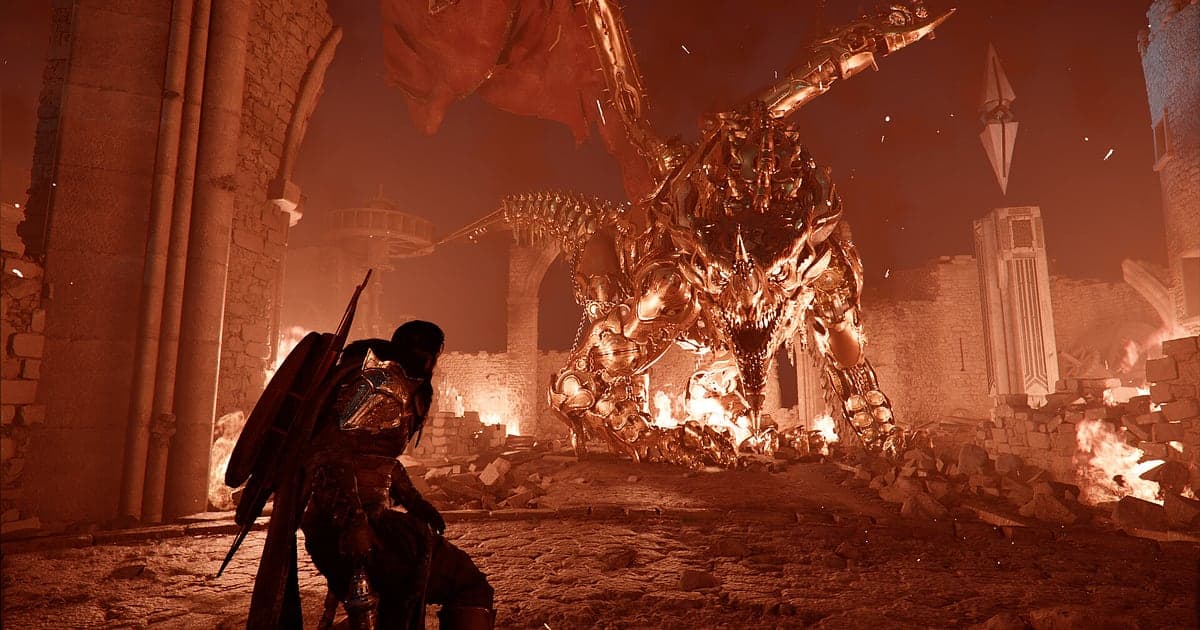
Crimson Desert records automatically once DOR is installed: launch the game and the AI takes care of the recording. There is no record button to press and no window to pick. The moment Crimson Desert starts through Steam, DOR detects it, and every hour Kliff of the Greymanes spends crossing the continent of Pywel builds up in a single video until you quit. The view you found after wandering off a quest path and the giant boss that took more than ten attempts are both already in the recording. This guide is for anyone recording Crimson Desert for the first time. It walks through getting ready, confirming the recording, saving boss kills, finding footage later, building a recap of your journey, sharing it, and tuning settings for a demanding game.
- Keep a whole Crimson Desert session in one video, from leaving your first camp to the last quest of the night.
- Save the moment you break a giant boss's second phase, or a no hit kill in a Reminisce rematch, as its own clip.
- Use AI Voice Notes to find what you muttered while taming a legendary horse and jump straight to that scene.
- Join a grab into combo chain, a wyvern encounter and a clifftop view of Pywel into a recap of your journey.
- Answer a friend's boss question by sending the fight you cleared as a single dor.gg link on Discord.
Before you record Crimson Desert: install and recording mode
All you need to record Crimson Desert is DOR. It is a free Windows app and never adds a watermark to your videos. Crimson Desert uses full session recording, so the video keeps going when you switch quests or regions, and gameplay and cutscenes run together in the same file. Crimson Desert is a demanding open world game on the graphics card, so it helps to know where your PC sits against the official specs before you pick recording settings. The minimum and recommended specs and the storage the game needs are listed in Crimson Desert system requirements. The table below covers what to check before your first Crimson Desert recording.
| Item | For Crimson Desert | Notes |
|---|---|---|
| Install | DOR, free Windows app | No watermark on your recordings |
| Game version | Windows PC version on Steam | DOR detects and records Crimson Desert running on your PC |
| Recording mode | Full session recording | One video from launch to exit, cutscenes included |
| Display mode | Fullscreen, windowed and borderless all record | Switches to monitor capture if game capture is blocked |
| Resolution and frame rate | 1080p at 30fps by default | 60fps is available, plus a lighter 720p/30fps mode |
| When to set quality | Before you launch the game | Recording starts the instant the game opens, so set resolution and frame rate first |
| Storage | About 30MB for a 30 second 1080p clip | Leave plenty of free drive space on long exploration days |
Record Crimson Desert with DOR: step by step
- 1Install DOR and choose your qualityDownload and install DOR, then leave it running. Crimson Desert starts recording as soon as it opens, so decide in DOR settings whether you want 60fps or the default 1080p at 30fps before you launch. If you want boss cinematics to look smooth, 60fps is a good fit.
- 2Launch Crimson Desert from SteamStart Crimson Desert from your Steam library. DOR detects the game and starts recording right away. The title screen and loading are captured too, so there is nothing extra to do whether you continue a save or begin a fresh playthrough.
- 3Check the recording before your first fightBefore you engage the first enemy in the field, open the DOR app once and confirm Crimson Desert is being recorded. If it is not detected, follow what to do when the recorder does not detect your game. After that, ride to the horizon or clear a cave without thinking about the recording.
- 4Save a clip right after a boss killWhen you finally read a giant boss's pattern and take off its last bit of health, press the clip save shortcut as soon as the kill cinematic ends. The last stretch is saved as a separate clip, so you never have to dig through hours of footage to find that fight again.
- 5Quit and open My ClipsRest at camp or save your progress, then close the game. The session video and every boss clip you saved appear together in My Clips in the DOR app. If you quit right after a kill, that fight sits at the very end of the session video.
Find your recordings
Your recordings live in My Clips in the DOR app, also called the library. Each time you open and close Crimson Desert becomes one session, and anything you grabbed with the clip save shortcut is listed as its own clip under it. Crimson Desert sessions often run for hours, so when you hunt for a moment in a long video, use cutscene openings and the times you stopped to rest at camp as landmarks. A boss fight begins with the encounter cinematic, so scrub the timeline until you see it. Once you find the scene, set a start and an end point to trim the part you need, then export it as 16:9, 9:16 or 1:1. The full walkthrough is in how to trim game clips. Like the videos you want to keep for good, such as a late game boss or your reunion with the Greymanes. When space fills up, older videos you have not liked are cleared first, so liked footage stays.
Save the moments you want to keep
Even with the whole session recorded, saving the scenes you care about as clips on the spot makes them much faster to find. Press the clip save shortcut and the last stretch of gameplay becomes a clip. The default length is 30 seconds, and you can choose 15, 30, 45 or 60 seconds in settings. In Crimson Desert, good moments to press it are right after you push a giant boss past phase two, right after a grab into combo chain lands in full, right after a perfect parry, and right after a legendary horse finally accepts you. Boss kill cinematics run long, so setting clips to 60 seconds keeps everything from the final blow to the end of the cinematic. A boss you have beaten can be fought again: go back to where you fought it, light your lantern and read the Memory Fragment. Reminisce mode puts the boss back exactly as you first met it, which makes it a good place to chase a cleaner kill for your clip. How to open rematches and how the modes differ is covered in Crimson Desert boss rematch.
Find what was said with AI Voice Notes
Crimson Desert is a single player game, but lines like 'phase two of this boss is brutal', 'there is definitely something on that cliff' and 'that parry timing was perfect' slip out anyway. If you stream and explain your play to viewers, you talk even more. DOR records game audio and your microphone together, and AI Voice Notes writes what you said onto the recording timeline as text. When you want to rewatch the moment you realized 'roll right after the grab', find that line in the timeline text and select it to jump straight to the scene. Your muttering turns into a boss strategy note you can scroll back to. On nights you play while on a Discord call, your friend's backseat advice is captured too. If your mic sounds quiet in the recording, check your input device with recording games with mic audio.
Build a montage with AI Highlight
A campaign this long is worth squeezing into a recap of a few minutes. In the library, check your clips of the giant boss phase two, a grab into combo chain, the wyvern encounter, taming a legendary horse, the clifftop view of Pywel and the Greymanes reunion, then select AI Highlight. DOR joins them into one video. Check only combat clips for an action montage, or only scenery clips for a travelogue of Pywel. If you would rather place the clips in quest order yourself, see how to merge game clips.
Edit in DOR Studio
DOR Studio opens in your browser with nothing to install. Put a punch zoom on the frame where your final blow lands, and add a shake zoom when a giant boss slams the ground. Lay calm background music over a horseback ride across open fields and add a text line such as 'Crossing Pywel' to turn it into a travel video. When you join several boss clips, a glitch transition between them keeps the cut flowing. From the same edit you can export 16:9 for YouTube and 9:16 for Shorts; framing tips for vertical video are in recording games for vertical Shorts. When you are done, download an mp4 or share a link straight away.
Share with a dor.gg link
Send trimmed moments as dor.gg links. Whoever opens the link plays the video right in their browser without installing anything. Crimson Desert is played solo, so there is no way to watch each other's screens in game. If you beat the boss a friend is stuck on, posting that fight in your Discord channel explains the pattern far better than typing it out. How to cut long strategy videos that show fails and the win, versus short brag clips of a combo, is covered in sharing Crimson Desert gameplay videos. If you caught a wall clipping bug or the seconds before a crash, follow how to report a bug in Crimson Desert to send the video to Pearl Abyss.
Crimson Desert recommended settings and troubleshooting
Crimson Desert is heavy on the graphics card, so your in game graphics settings affect frame rate far more than recording does. Start from a preset in the official performance table, then change upscaling, frame generation and ray tracing one at a time while recording is on, and check your frame rate after each change. For recording, the default 1080p at 30fps is already sharp. Choose 60fps for smoother boss cinematics, or the 720p/30fps mode if your PC is near its limit. DOR uses GPU hardware encoding, so its impact on in game frame rate is small. Fullscreen, windowed and borderless windows all record, so keep the display mode you already use. Recommended in game settings for playing while you record are in Crimson Desert best PC settings. DOR has no cheat features and never touches your game files or play data.
| Symptom | What to check | Fix |
|---|---|---|
| The recording is a black screen | The display mode in the game's settings | DOR records fullscreen, windowed and borderless, and switches to monitor capture when game capture is blocked. Steps are in [fixing fullscreen recording](fullscreen-recording-not-working). |
| Frame rate drops during boss fights | Your in game graphics preset and recording frame rate | Adjust upscaling first, then drop recording to 720p/30fps if needed. See [fixing FPS drops while recording](game-recording-fps-drop-fix). |
| The game crashed and you worry about your footage | The recording up to the crash | Everything played before the crash is in the library. To track down the cause, follow [Crimson Desert crashing fixes](crimson-desert-crashing-fix). |
| Files get large after hours of exploring | Recording resolution and free drive space | Save the scenes you rewatch as clips and Like only the videos you want to keep. |
| Worried a recorder could affect your account | How DOR works | DOR only captures the screen, has no cheat features and does not modify game files or play data. |