Cyberpunk 2077 records automatically once DOR is installed: launch the game and the AI handles the rest. From the moment V wakes up until you quit, main jobs, side gigs, Night City drives and every conversation Johnny Silverhand barges into run together in one video, so you never need to guess when a great moment is coming. Instead of a single photo mode still, you keep the scene in motion. This guide walks through the full routine in order: getting ready, confirming the recording, saving key moments, finding scenes inside a long recording, building cinematic montages and edits, and sharing links.
- Keep your time in Night City in one video, from main jobs to Phantom Liberty's Dogtown.
- Save a Sandevistan spree or a Mantis Blades finisher as its own clip on the spot.
- Find lines like 'who dies if I pick this option?' with AI Voice Notes and jump to that branch.
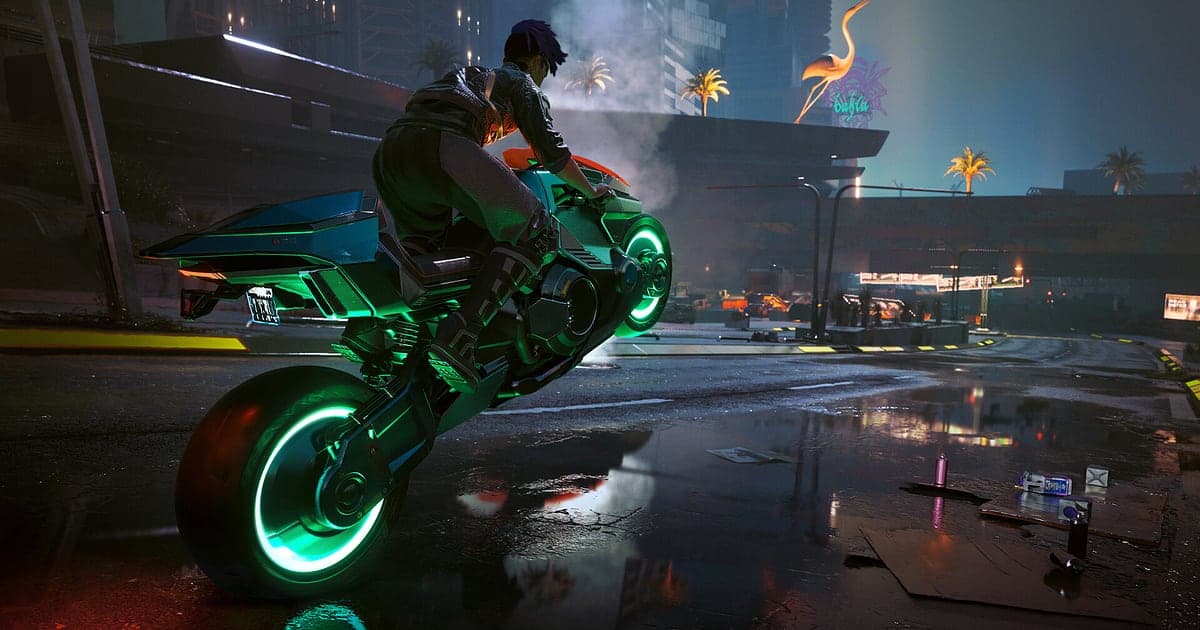
- Weave an overpass bike run and the last talk before the ending into a cinematic montage with AI Highlight.
- Send a 9:16 edit of neon cuts over synthwave to friends with a dor.gg link.
Before you record Cyberpunk 2077: install and recording mode
Cyberpunk 2077 is GPU heavy, so a PC at the recommended spec or above keeps both in game frame rate and recording stable. DOR is a free Windows app and never adds a watermark. Cyberpunk uses full session recording, which means that however many jobs you run or hours you spend cruising the city, the video keeps going until you close the game. Open world sessions get long, so save to a drive with plenty of free space. To change where recordings go, see changing the recording save location. The table below covers what to check before your first recording.
| Item | For Cyberpunk 2077 | Notes |
|---|---|---|
| Install | DOR, free Windows app | No watermark on recordings or edits, so clips go straight into your edits |
| Game version | Windows PC version on Steam | DOR records Cyberpunk 2077 running on your PC |
| Recording mode | Full session recording | Main jobs, side gigs and Dogtown stay in one video until you exit |
| Display mode | Fullscreen, windowed and borderless all record | If game capture is blocked, DOR switches to monitor capture |
| Resolution and frame rate | 1080p at 30fps by default | Pick 60fps for smoother drives, or the lighter 720p/30fps mode |
| Storage | Videos grow with open world time | Leave plenty of free space on days you roam for hours |
Record Cyberpunk 2077 with DOR: step by step
- 1Install DORDownload DOR and install it. Once setup finishes, DOR waits in the background for the game to start. If you are about to reach the ending, install it beforehand so the final conversations are on record.
- 2Launch Cyberpunk 2077Start Cyberpunk 2077 from Steam as usual. Recording begins as soon as DOR detects the game, so the title and load save screens at the start of the video are expected.
- 3Check that recording is runningOnce your save loads and V is standing in Night City, glance at the DOR app once to confirm the recording is in progress. If the game is not picked up, follow what to do when the recorder does not detect your game. After that, switching jobs keeps everything in the same video.
- 4Save the clip right after the momentJust cut through a room in slowed time with your Sandevistan, or chained quickhacks across cameras and enemies? Press the clip save shortcut right after. The last 30 seconds are stored as a separate clip.
- 5Quit and open My ClipsClose the game and the whole session lands in My Clips as one video, with the clips you saved alongside. You can rewatch past missions as video without loading an old save.
Find your recordings
Your recordings collect in My Clips in the DOR app, also called the library. Each time you open and close Cyberpunk becomes one session, and anything you grabbed with the clip save shortcut appears as its own clip. Open world sessions easily run for hours, so use loading screens and the opening of each job to find the right mission first, then narrow down using where gunfire starts or where a dialogue choice appears. For big scenes like the ending, a note such as 'last talk before the ending' makes it even easier. Set a start and an end point to trim, then export as 16:9, 9:16 or 1:1. A neon night drive suits 16:9 where the city stays wide, while a short Sandevistan spree works as a 9:16 edit. The walkthrough is in how to trim game clips. Like the videos you want to keep, such as your ending. When space fills up, older videos you have not liked are cleared first.
Save the moments you want to keep
Even though the whole session is recorded, saving key moments as clips on the spot means you never dig through hours of footage. Press the clip save shortcut and the last stretch is saved as a clip. The default length is 30 seconds, and you can choose 15, 30, 45 or 60 seconds in settings. A Sandevistan spree or a Mantis Blades finisher fits in 15 or 30 seconds, while a quickhack chain that takes out enemies one after another suits 45. Mood pieces like an overpass bike run or a Dogtown night drive are best at 60 seconds as source material for edits. Saving the reaction right after a dialogue choice makes it easy to compare branches later. To change the shortcut or length, see saving the last few seconds instantly.
Find what was said with AI Voice Notes
Whether you play alone or talk with friends or chat, Cyberpunk pulls out lines like 'Sandevistan on, cutting through all of them', 'quickhack the cameras first' and 'Dogtown at night looks unreal'. DOR records game audio and your microphone together, and AI Voice Notes writes what you said onto the recording timeline as text. To revisit the branch where you wondered 'who dies if I pick this option?', select that line in the timeline and jump straight to the scene. To balance your voice against the game audio, see recording games with mic audio.
Build a montage with AI Highlight
Weave Night City's best moments into one cinematic. In the library, check the Sandevistan spree, the overpass bike run, the quickhack chain, the Mantis Blades finisher, the Dogtown night drive and the last talk before the ending, then select AI Highlight to get a Cyberpunk montage. You can also split it by build, with a netrunner cut and a melee cut. To set the order yourself, see how to merge game clips.
Edit in DOR Studio
DOR Studio opens in your browser with nothing to install. Add a punch zoom as the Sandevistan kicks in, a shake zoom on a car crash and a glitch transition where scenes change. Synthwave style background music fits the mood, and a district or job name in text finishes the edit. Export 9:16 for Shorts and Reels, or 16:9 for a YouTube cinematic. For vertical framing, see recording games for vertical Shorts. When you are done, download an mp4 or share it as a link straight away.
Share with a dor.gg link
Send trimmed moments as dor.gg links. Whoever opens the link watches in a browser without the app, so instead of a photo mode still you can paste a Night City drive into Discord and your friend sees it in motion. Polished edits go up on Instagram and TikTok with no watermark. For endings and major branches, check how far your friend has played before you send. Which scenes to pick for each build is covered in sharing Cyberpunk 2077 gameplay videos, and posting to Discord is in sharing clips on Discord.
Cyberpunk 2077 recommended settings and troubleshooting
Cyberpunk 2077 is GPU heavy, so start recording at the default 1080p and 30fps and move to 60fps only when your in game frame rate has headroom. If frames are short, drop to the 720p/30fps mode. DOR uses GPU hardware encoding, which keeps recording overhead low even with heavy settings like ray tracing or path tracing. Fullscreen, windowed and borderless windows all record, so keep your usual display settings. If frames drop only while recording, see fixing FPS drops while recording, and for steady multi hour recordings see recording long gameplay without stutter. DOR has no cheat features and never touches game files or save data.
| Symptom | What to check | Fix |
|---|---|---|
| The recording is a black screen | The game's display mode | DOR records fullscreen, windowed and borderless alike. If it is still black, follow [fixing fullscreen recording](fullscreen-recording-not-working) to switch to monitor capture. |
| Radio music and gunfire are missing | Your Windows output device and DOR audio settings | Confirm which device the game plays through, then work through [fixing game recordings with no sound](game-recording-no-sound-fix). |
| Frames drop on city drives while recording | Recording frame rate and graphics settings | GPU hardware encoding keeps the impact small, but if it struggles, keep recording at 30fps or use 720p/30fps mode. |
| A mission is hard to find in hours of footage | Job openings and loading screens | Use loading screens and job openings as boundaries, and save a clip right after each big moment next time. |
| Worried recording could affect your save | How DOR works | DOR only captures the screen and never modifies game files or save data. |