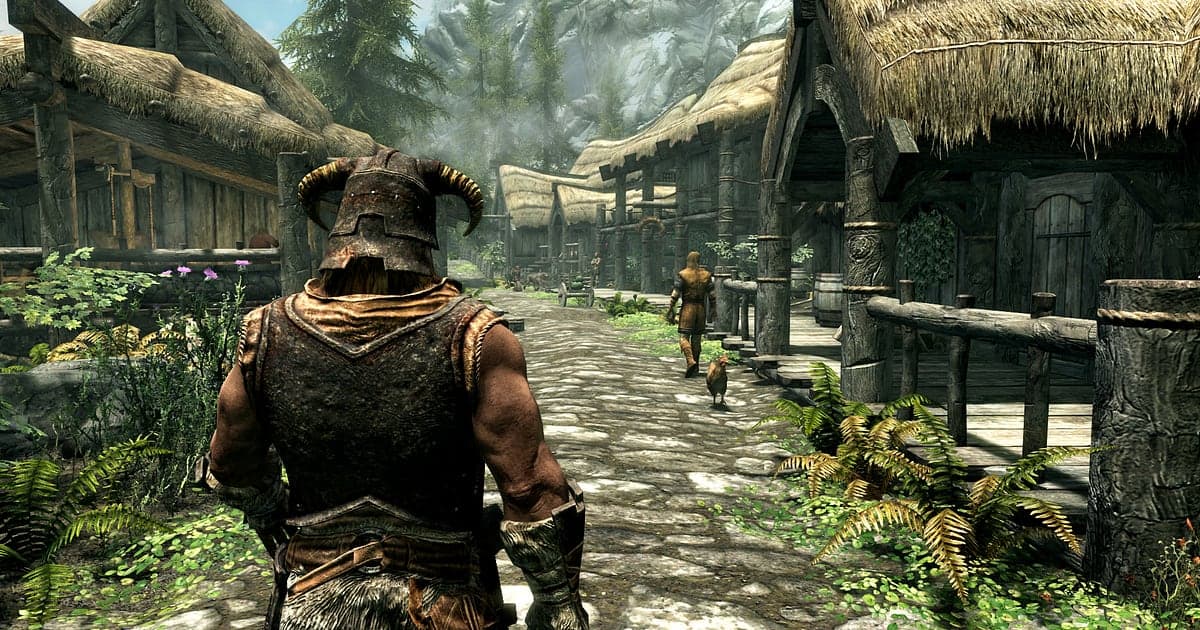
Skyrim Special Edition records automatically once DOR is installed: launch the game and the AI handles the rest. The Dragonborn's video journal starts the moment you wake on the cart to Helgen, and your first dragon soul at the Whiterun watchtower or the draugr you sent off a cliff with Fus Ro Dah are kept without a single press of a record button. Every Skyrim playthrough tells a different story, so there is no knowing when or where the great moment will happen. That is exactly why having the whole adventure recorded is reassuring. This guide covers recording Skyrim on PC in order: getting ready, checking recording, saving dragons and shouts, finding scenes in the recording, building a mod showcase and sharing links.
- Keep your whole adventure on video, from loading a save to riding between cities, barrow crawls and conversations.
- Save a dragon soul absorbed, a Fus Ro Dah off a cliff or a trip to orbit courtesy of a giant as separate clips.
- Use AI Voice Notes to find muttered lines like 'dragon's here, is my shout ready?' and jump straight to that scene.
- Join dragon hunts, a Nordic tomb boss and an aurora over the tundra into an adventure chronicle with AI Highlight.
- Show off your carefully tuned load order in a Discord server with a dor.gg link.
Before you record Skyrim Special Edition: install and recording mode
Skyrim Special Edition is fairly light on hardware, so a vanilla game needs very little preparation, and if you run a lot of mods you only need to check how much headroom your PC has left. DOR is a free Windows app and never puts a watermark on your videos, so your snowfields stay clean. The game uses full session recording, which means travel, combat, dialogue and inventory management after loading a save all go into one video until you quit. Skyrim sessions tend to run for hours once you start, so it is worth reading recording long gameplay without stutter first. The table below lists what to know for Skyrim.
| Item | For Skyrim Special Edition | Notes |
|---|---|---|
| Install | DOR, free Windows app | No watermark, which keeps mod showcases clean |
| Game version | Skyrim Special Edition for PC on Steam | DOR records the game running on your PC |
| Mods | Modded setups record too | Armor or NPC replacer mods are fine as long as you launch the same Skyrim |
| Recording mode | Full session recording | Long adventures between dungeons and cities stay in one video until you quit |
| Resolution and frame rate | 1080p at 30fps by default | 60fps is available, plus a lighter 720p/30fps mode |
| Storage | About 30MB for a 30 second 1080p clip | Leave plenty of free space on days you explore for hours |
Record Skyrim Special Edition with DOR: step by step
- 1Set up DORDownload DOR, install it and leave it running. It is free, and there is nothing else to prepare each time you start Skyrim. The basic flow for recording any PC game is also covered in how to record PC games.
- 2Launch Skyrim and load your saveStart Skyrim Special Edition from Steam. When DOR detects the game, recording begins from the main menu, so a new character is recorded from the cart to Helgen and an existing one from the moment the save loads.
- 3Check recording before you set outBefore you leave town, open the DOR app once and confirm the recording is in progress. After that, ride across the hold or go deep into a barrow without thinking about it.
- 4Clip the dragon right after it fallsWhen a roar echoes from the sky and the combat music changes, a dragon fight has begun. Once it goes down and its soul streams into you, press the clip save shortcut. Everything from the final blow to the soul absorption is saved as a clip.
- 5Quit and open My ClipsWhen you finish adventuring for the day and close the game, the full session video and every clip you saved appear together in My Clips in the DOR app. A day spent on the main quest and a day spent gathering alchemy ingredients are kept the same way.
Find your recordings
Open your recordings from My Clips in the DOR app, also called the library. Each time you open and close Skyrim becomes one session, and anything you grabbed with the clip save shortcut shows up as its own clip. To find a scene in a multi hour session, use the loading screens that appear when you pass through a door. The stretch between two loading screens covers one location, so just remembering which dungeon it was narrows things down. A dragon soul streaming in or the hum in front of a Word Wall are other easy landmarks. Once you find the scene, set a start and an end, trim, and export as 16:9, 9:16 or 1:1. A good rule is to keep fights short and punchy and scenery long and unhurried; the walkthrough is in how to trim game clips. Like the videos you want to keep for good, such as your first dragon kill. When space fills up, older videos you have not liked are cleared first, so liked adventures stay put.
Save the moments you want to keep
Even with the whole adventure recorded, clipping the scenes worth talking about on the spot saves you from digging through hours of footage. Press the clip save shortcut and the last stretch of play is saved as a clip. The default length is 30 seconds, and you can choose 15, 30, 45 or 60 seconds in settings. Good times to press it in Skyrim are right after you absorb a dragon soul, right after Fus Ro Dah sends an enemy off a cliff, right after a giant launches you into the sky, and right after a sneak attack takedown. A single shout or a physics accident fits in 15 seconds, while a long fight like a Nordic tomb boss fits better at 60 so the final blow is kept. To change the shortcut, see saving the last few seconds instantly.
Find what was said with AI Voice Notes
Skyrim is a single player game, but exploring it tends to bring out the commentary. Lines like 'hit that giant and you're going to space', 'how deep does this Dwemer ruin go' and 'this snow mod looks incredible' come out naturally. DOR records game audio and your microphone together, and AI Voice Notes writes what you said onto the recording timeline as text. To rewatch the moment right after you said 'don't hit the giant' and promptly flew into the sky, find that line in the timeline text and select it to jump straight there. When you make a guide with commentary, having your own words written out makes picking scenes much easier. To set up your mic input, see recording games with mic audio.
Build a montage with AI Highlight
Dragon hunts and physics chaos deserve a chronicle. In the library, check your dragon soul absorbed, Fus Ro Dah off a cliff, the launch by a giant, the Nordic tomb boss, the aurora over the tundra and a sneak attack takedown, then select AI Highlight. DOR joins the checked moments into one video. String together clips from the same character since level 1 and you get the Dragonborn's rise in one cut. To arrange clips in quest order yourself, see how to merge game clips.
Edit in DOR Studio
DOR Studio opens in your browser with nothing to install. A shake zoom on the moment a shout lands is enough to change how a Skyrim clip feels. For a mod showcase, put each mod's name on screen as text over a calm background track, and use a glitch transition between before and after shots to show the difference. Export single shout Shorts in 9:16 and showcases or guides in 16:9. Getting the result as an mp4 is covered in exporting DOR clips, or share it as a link straight away.
Share with a dor.gg link
Send trimmed scenes as dor.gg links. Whoever opens the link plays it right in their browser without installing anything, so you can post your carefully modded snowfields in a modding Discord server or send the giant launch to a group chat. Send before and after comparisons to a friend running the same mods, and your first dragon kill to a friend who is just starting Skyrim. How long to cut each kind of scene and how to send it are covered in sharing Skyrim dragon kill videos, and posting to Discord is covered in sharing clips on Discord.
Skyrim Special Edition recommended settings and troubleshooting
Skyrim Special Edition is fairly light, so recording runs smoothly even at minimum spec. The default 1080p at 30fps captures snowfields and auroras crisply, and 60fps is the pick for smoother dragon fights. If heavy graphics mods leave your in game frame rate tight, set recording to the lighter 720p/30fps mode to ease the load. Fullscreen, windowed and borderless windows all record, so leave the game's settings as they are. DOR uses GPU hardware encoding, so its effect on play is small. It has no cheat features and never touches your game files or play data. On an older PC, see recording games on a low end PC.
| Symptom | What to check | Fix |
|---|---|---|
| The recording is a black screen | The display mode in the game's settings | DOR records fullscreen, windowed and borderless alike. If it is still black, follow [fixing fullscreen recording](fullscreen-recording-not-working) to switch to monitor capture. |
| Dragon roars and music are missing | Your Windows output device and DOR audio settings | Confirm which device the game plays through, then follow [fixing game recordings with no sound](game-recording-no-sound-fix). |
| Graphics mods cause stutter while recording | Mod load and recording resolution or frame rate | GPU hardware encoding keeps the impact small, but if mods leave your frame rate tight, drop recording to 720p/30fps mode. |
| Hours of exploring make large files | Free drive space | Clip only the scenes worth sharing and adjust settings using [reducing game recording file size](reduce-game-recording-file-size). |