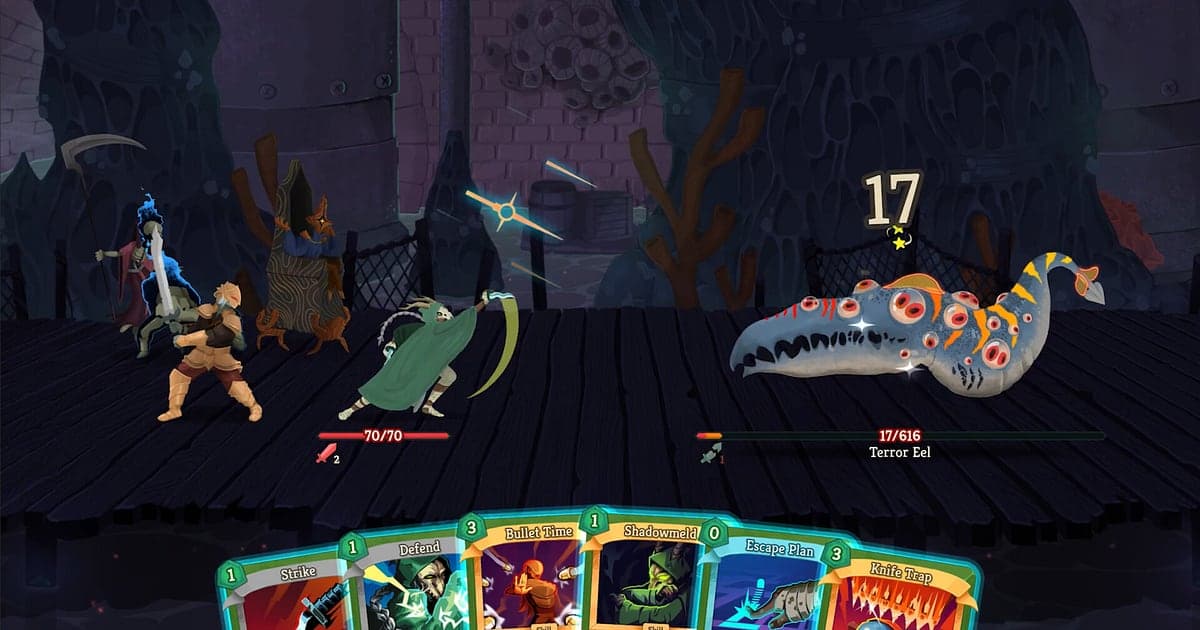
Slay the Spire 2 records automatically once DOR is installed: launch the game and the AI handles the rest. You never press record at the start of a run. From the first card reward to the final turn against the act boss, the whole climb is kept on video. In a deckbuilder the story is in the choices, so watching back which path skipped the elite or which card you removed at the shop changes how you draft next time. This guide takes you through recording Slay the Spire 2 in order: installing DOR, clipping combo turns, finding fights in a long recording, building an Ascension recap and sending it to friends.
- Keep a full run on video, from the first fight in Act 1 to the final boss, and review your drafting like a VOD.
- Save turns like an Ironclad turn that dumps hundreds of damage or a 1 HP elite survival as separate clips.
- Use AI Voice Notes to find co op planning like 'I'll block this turn, you go all in' and jump to that turn.
- Join a key relic pickup, an infinite combo turn and the Ascension victory screen into one recap with AI Highlight.
- Drop a deck tech clip into your Discord server or a Reddit post with a dor.gg link.
Before you record Slay the Spire 2: install and recording mode
Slay the Spire 2 is a light turn based deckbuilder, so there is very little to prepare. DOR is a free Windows app and never adds a watermark. The game uses full session recording, which means runs and fights are not split into separate files; everything from launch to exit becomes one video. The time you spend thinking over a card pick is recorded too, so back to back runs make for a long recording. If you play on an older laptop, also read recording games on a low end PC. The table below covers what to know for Slay the Spire 2.
| Item | For Slay the Spire 2 | Notes |
|---|---|---|
| Install | DOR, free Windows app | No watermark on your videos |
| Game version | Slay the Spire 2 for PC on Steam | DOR records the game running on your PC |
| Recording mode | Full session recording | Several runs in a row still form one video until you quit |
| Display mode | Fullscreen, windowed and borderless | Keep the display settings you already use |
| Resolution and frame rate | 1080p at 30fps by default | The default keeps card text readable, and 60fps is available |
| Storage | About 30MB for a 30 second 1080p clip | Leave free space on days you grind several 40 minute runs |
Record Slay the Spire 2 with DOR: step by step
- 1Install DORDownload DOR, install it and leave it running. It is free, and once it is installed there is nothing else to do each time you start Slay the Spire 2. How the app spots the game and starts recording is explained in DOR automatic game recording.
- 2Launch Slay the Spire 2Start the game from Steam. Recording begins as soon as DOR detects it, so picking your character and taking the first card reward are already on video. On the first run with a new character, choosing your starting relic is captured too.
- 3Check that recording is runningBefore the first fight in Act 1, glance at the DOR app to confirm the recording is in progress. After that, pick paths on the map and remove cards at shops without thinking about it.
- 4Clip the combo turn when it endsWhen your relics line up and cards fire one after another, or you scrape through an elite on 1 HP, press the clip save shortcut as soon as the turn ends. The whole chain from the first card to the last hit is stored as its own clip.
- 5Finish the run and open My ClipsWhether you reached the victory screen or fell on the way, leave your deck list on screen for a few seconds before quitting so it is in the recording. Close the game and the full session plus your turn clips appear together in My Clips in the DOR app.
Find your recordings
Your recordings live in My Clips in the DOR app, also called the library. Each time you open and close Slay the Spire 2 becomes one session, and turns you grabbed with the clip save shortcut show up as their own clips. Turn based games do not change much on screen, so finding a fight in a long session is harder than it sounds. Use the card reward screen that follows each fight and the fresh map that opens at each new act as landmarks. Once you find the fight, set the start where the turn begins and the end where the enemy's death animation finishes, then export as 16:9, 9:16 or 1:1. The full walkthrough is in how to trim game clips. Like the runs you want to keep, such as your first clear at a new Ascension level. When space fills up, older videos you have not liked are cleared first, so liked runs stay put.
Save the moments you want to keep
Even with the whole run recorded, clipping the turns you want to show off on the spot means you never have to hunt for them. Press the clip save shortcut and the last stretch of play is saved as a clip. The default is 30 seconds, and you can choose 15, 30, 45 or 60 seconds in settings. Good times to press it in Slay the Spire 2 are right after an infinite combo turn, right after picking up the relic that completes your deck, right after surviving an elite on 1 HP, and right after the act boss hits zero. A long turn where Replay cards fire again and again easily runs past 30 seconds, so set the length to 60 and the final hit will fit. To change the shortcut, see saving the last few seconds instantly.
Find what was said with AI Voice Notes
Climbing in co op means a planning call every turn: 'I'll block this turn, you go all in', 'can we take one more elite on this HP?', 'remove a Strike at the next shop'. Even solo, you probably talk yourself through card picks. DOR records game audio and your microphone together, and AI Voice Notes writes that chatter onto the recording timeline as text. When you want to rewatch the moment someone said 'this relic just completes the deck', find the line in the timeline text and select it to jump straight there. You can also check who agreed to tank which turn, which makes co op reviews much easier. To set up your mic input, see recording games with mic audio.
Build a montage with AI Highlight
AI Highlight turns a 40 minute run into a recap a few minutes long. In the library, check your key relic pickup, the infinite combo turn, the elite comeback, the 1 HP survival, the act boss kill and the Ascension victory screen, then select AI Highlight. DOR joins them so the moment your deck came together runs straight into the turn that melted the boss. Make one clear run per character and you have a deck archive to look back on. To set the clip order act by act yourself, see how to merge game clips.
Edit in DOR Studio
DOR Studio opens in your browser with nothing to install. Cut a combo turn down to the stretch where cards chain into each other and add a punch zoom on the final hit so the synergy reads instantly. Put your deck name and Ascension level on screen as text over a calm background track and you have a guide intro. Export deck tech Shorts in 9:16 and full guides in 16:9, and use a glitch transition where one fight cuts to the next. Download options and format differences are covered in exporting DOR clips, or share the result as a link straight away.
Share with a dor.gg link
Send trimmed turns as dor.gg links. Whoever opens the link plays it in their browser without installing anything, so it is easy to post deck proof in your Slay the Spire Discord server or add a combo turn to a Reddit guide. For your co op partner, pick the turn where they tanked everything and send that one. How to choose which turns to show is covered in sharing Slay the Spire 2 run videos, and posting to Discord is covered in sharing clips on Discord.
Slay the Spire 2 recommended settings and troubleshooting
Slay the Spire 2 is fairly light, so recording runs smoothly even at minimum spec. The default 1080p at 30fps keeps card names and numbers crisp, and 60fps is there if you want card animations to look smoother. If you play long sessions on laptop battery, the 720p/30fps mode lowers the load further. Fullscreen, windowed and borderless windows all record, so leave the game's settings as they are. DOR uses GPU hardware encoding, so its effect on play is small. It has no cheat features and never touches your game files or play data. If you chain several runs into hours of recording, see recording long gameplay without stutter.
| Symptom | What to check | Fix |
|---|---|---|
| The recording is a black screen | The display mode in the game's settings | DOR records fullscreen, windowed and borderless alike. If it is still black, follow [fixing fullscreen recording](fullscreen-recording-not-working) to switch to monitor capture. |
| Your voice is missing from a co op run | Your Windows input device and DOR mic settings | Check that the right mic is selected, then work through [fixing a mic that is not recording](mic-not-recording-fix). |
| Card animations look choppy | Recording frame rate | Pick 60fps for smoother card movement, or drop to 720p/30fps mode if the laptop struggles. |
| Back to back runs make large files | Free drive space | Clip only the turns worth showing, and like the runs you want to keep so they are not cleared. |